

With the launch of iOS 26, Apple has refined its system UI framework with enhanced translucency, depth, and motion, collectively known as the Liquid Glass update. To ensure WazirX continues to feel native, modern, and proficient on iOS, we’ve updated the WazirX iOS app to align closely with Apple’s new design principles.
This update focuses on visual clarity, seamless interaction, and visual depth, without changing the core trading flows our users rely on.
Below is a detailed walkthrough of what has changed in the updated WazirX iOS app and how it improved the overall experience.
Kindly note that the screens shown below are for representational purposes only and highlight key visual changes. For a complete Liquid Glass update experience across the WazirX app, we recommend updating the WazirX app to the latest iOS version.
Home Screen: Better Structure, Cleaner Layout
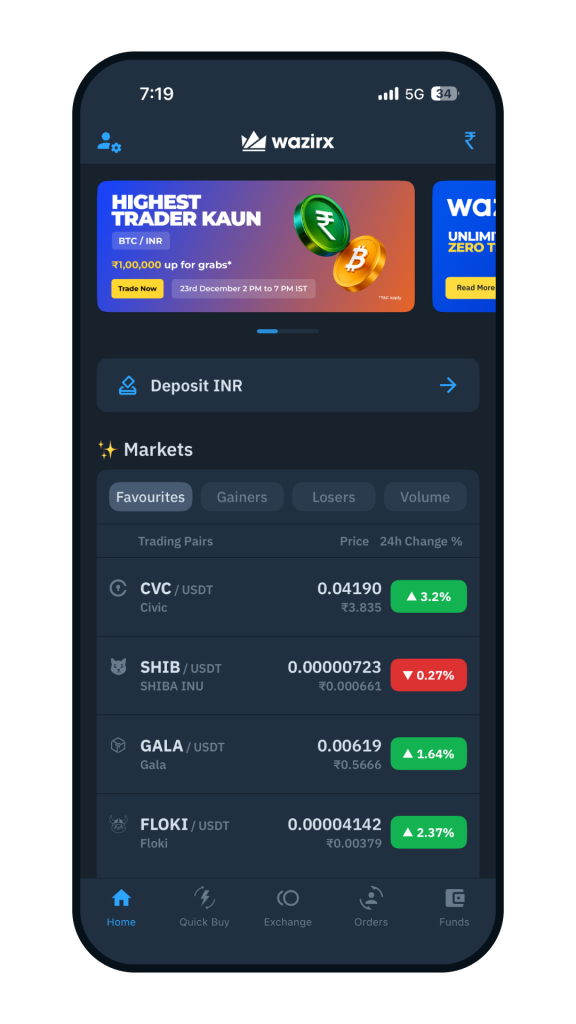
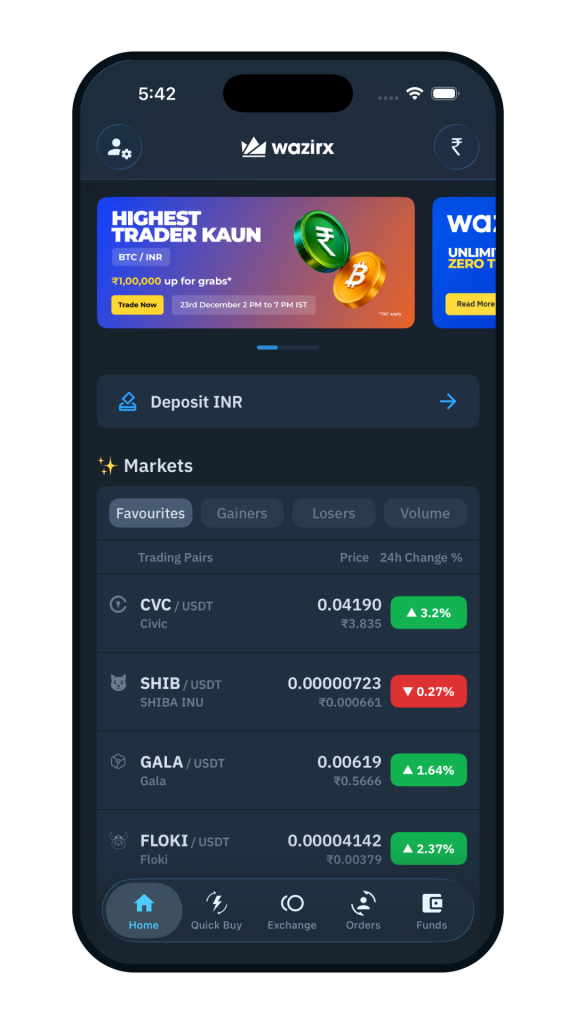
Before Vs After
What’s the Update?
- Introduced glass-like translucent surfaces on key screen sections, instead of flat and opaque like before.
- Reduced unnecessary visual elements by softening background layers and secondary elements.
- Improved spacing and contrast to better align with iOS 26 design metrics.
- The top header bar stays clear and readable by subtly blurring the background as you scroll.
From Users’ POV
- The home screen feels lighter and more responsive.
- Content appears layered rather than stacked, improving scanability.
- The interface blends more naturally with iOS system UI, especially during scrolling and transitions.
Exchange Screen: Focused Trading, Clearer Visuals
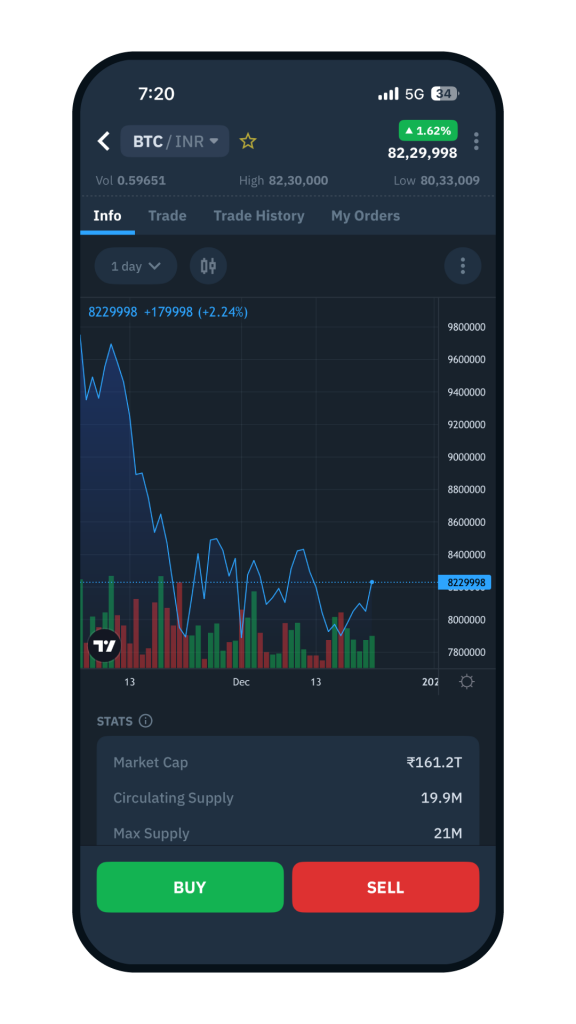
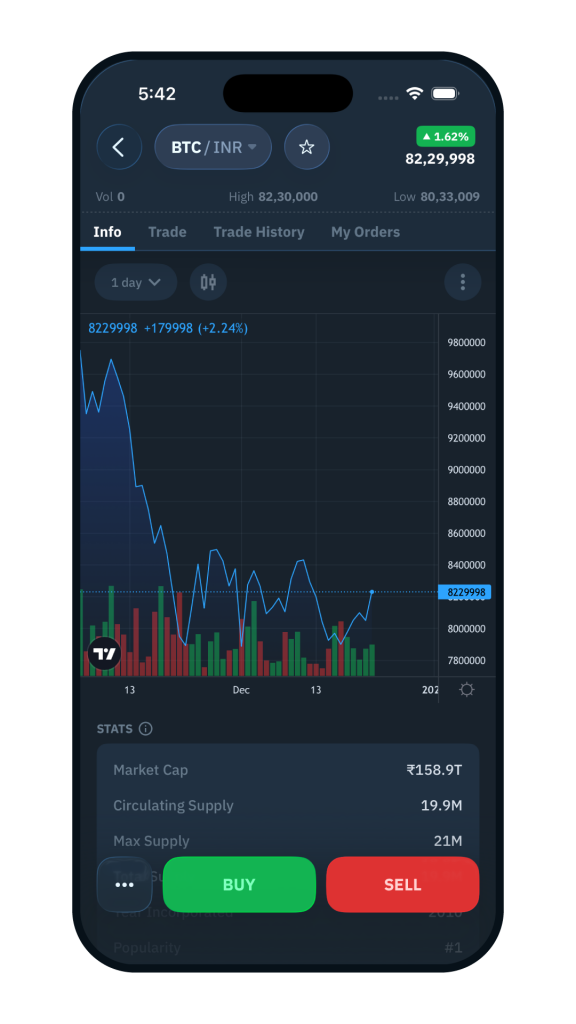
Before Vs After
What’s the Update?
- Charts and key controls now appear on slightly transparent background panels rather than flat, solid blocks.
- Price details, charts, and Buy/Sell sections are visually separated using soft layering and spacing, rather than heavy lines or borders.
- Buy and Sell buttons feel more prominent through improved sizing and smoother curves that enhance clarity and tap comfort.
- Overlays such as menus and quick actions use a Liquid Glass-style blur, allowing context to remain visible beneath them.
From Users’ POV
- The trading screen feels more pristine and focused, even during active market conditions.
- The data-heavy sections on the screen are easier to read and scan, without feeling dense.
- To match the latest iOS behaviour, trading actions (like scrolling, switching pairs, and opening charts) feel smoother and more fluid.
Wallet Screen: Wallet Details, Made Easier to Read
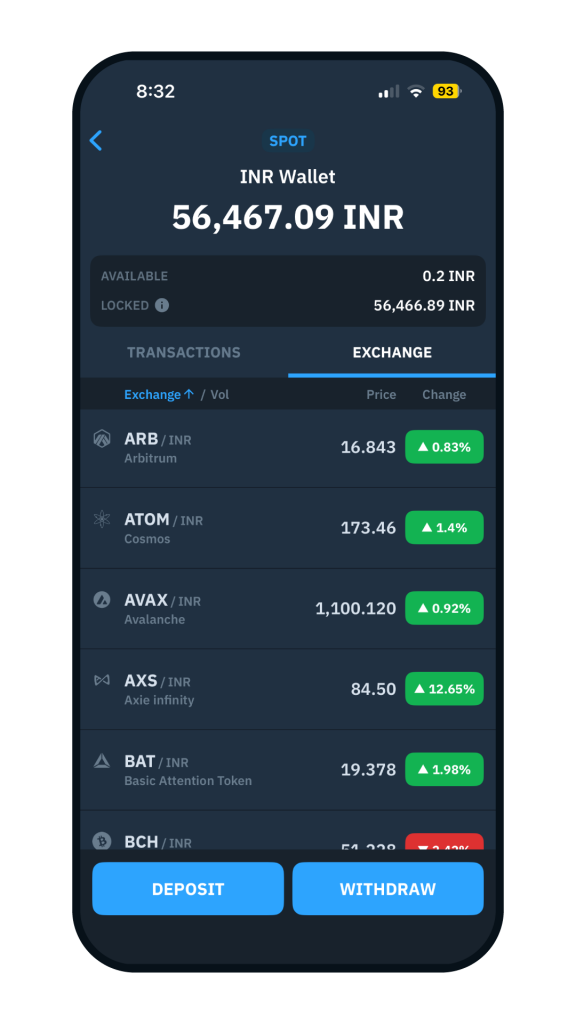
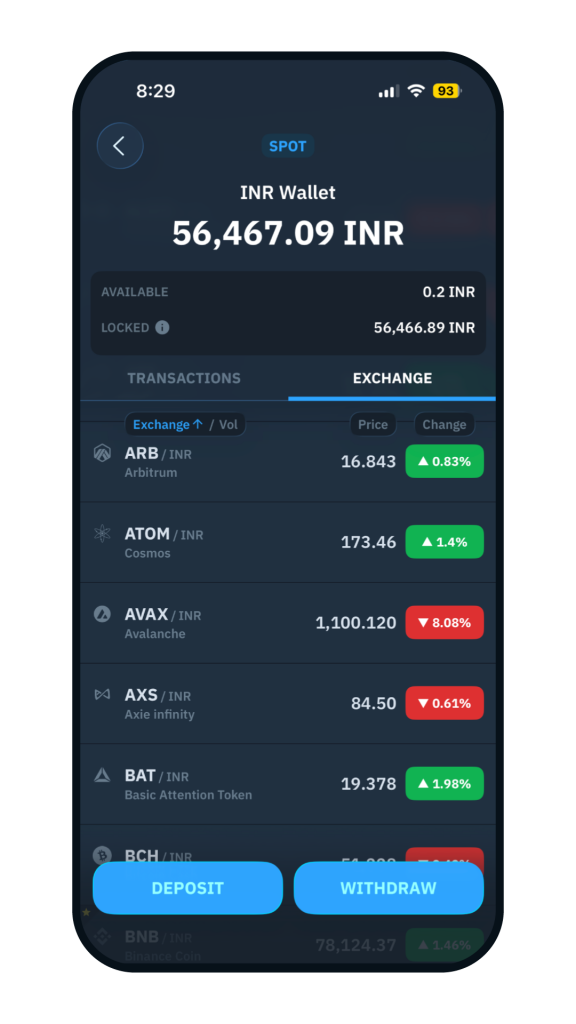
Before Vs After
What’s the Update?
- The wallet balance section now appears on soft, semi-transparent panels.
- Deposit and Withdraw buttons have been visually refined with smoother curves and subtle depth.
- Background colors and gradients have been softened, reducing visual heaviness.
From Users’ POV
- The wallet screen feels more organized and chic, even when managing multiple assets.
- The Deposit and Withdraw action buttons no longer dominate the screen as they did previously.
- Text and numbers are easier to differentiate and read, even in extended usage.
Pop-up Screen: Clean Messaging Without Breaking the Flow
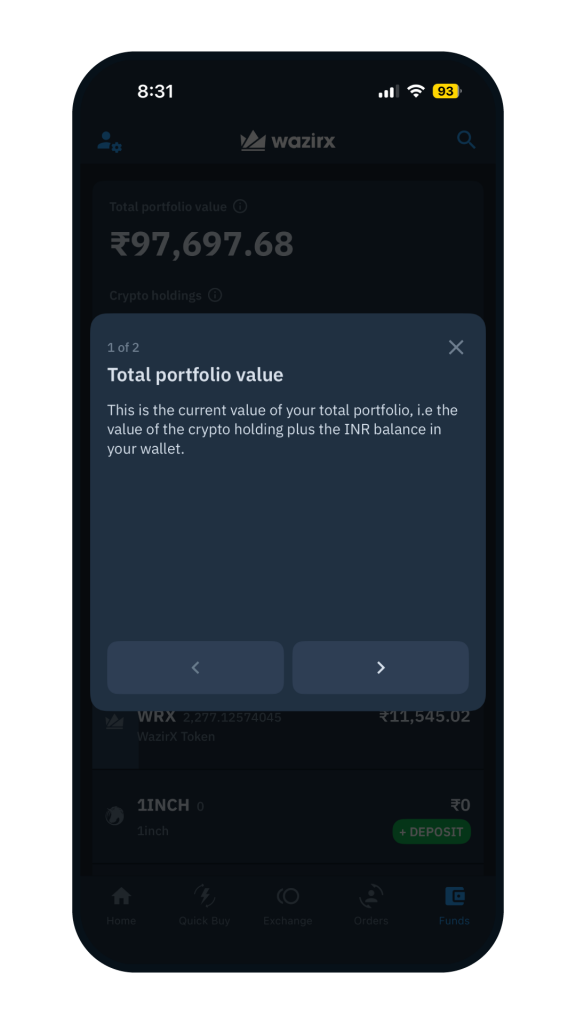
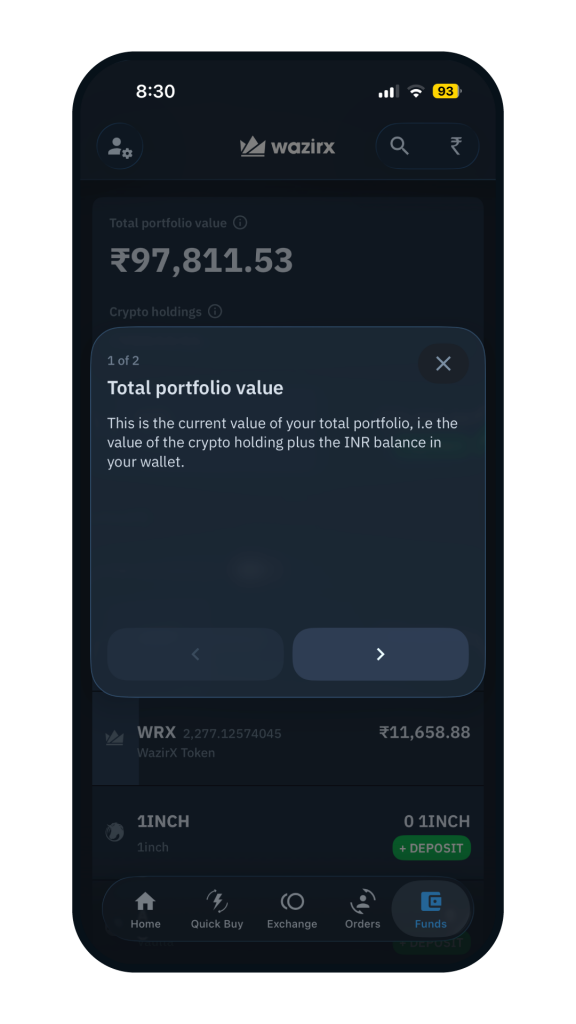
Before Vs After
What’s the Update?
- Pop-ups now use glassmorphic overlays, allowing the underlying screen to remain partially visible instead of opaque modals.
- Edges are smoother, the shadow effect is gentler, and text contrast is improved for easier reading.
- The natural on-screen transition follows iOS 26 system motion behavior.
From Users’ POV
- Information appears without fully covering the underlying screen, helping users stay oriented.
Performance and Interaction Refinements
Alongside visual updates, several under-the-hood improvements enhance responsiveness:
- Translucent layers are handled more efficiently to maintain consistent scrolling.
- Gestures and movements align more closely with iOS 26 system responses.
- Screen changes and message appearances feel quicker, with fewer perceptible delays.
Together, these updates ensure the WazirX app not only looks aligned with iOS 26, but moves and reacts the way iOS users expect.
Familiar, Yet Refined Trading Experience
This Liquid Glass update on WazirX intentionally leaves core usage unchanged:
- Trading behavior
- Order execution steps
- Wallet operations
- App navigation paths
Users can continue using WazirX exactly as before, now supported by a lighter interface, smoother movements, and improved visual balance.
Ready to experience it?
Update the WazirX app on iOS 26 to experience Liquid Glass.
 Disclaimer: Click Here to read the Disclaimer.